Aivory Documentation
Aivory is an AI workspace you can deploy on your own infrastructure. It brings multi-model conversations, files and knowledge bases, tool calling, team workspaces, and administration policies into a single control plane.
These docs are organized by task: get an instance running first, then enable richer capabilities step by step.
Where to Start
- Personal deployment: one server, one application container, using SQLite and embedded vectors. A good fit for personal use and demos.
- Full deployment: a complete stack of PostgreSQL, Redis, Qdrant, and a sandbox. A good fit for teams and long-running instances.
- First conversation: after startup, the shortest path from adding a channel to selecting a default model.
Runtime Model
The Aivory application container serves both the web UI and the API. Model provider API keys are stored in channel configuration in the admin console; they never need to be baked into frontend build variables.
Five capability surfaces revolve around one workspace core: model channels, knowledge retrieval, tool calling, sandbox execution, and the data layer.
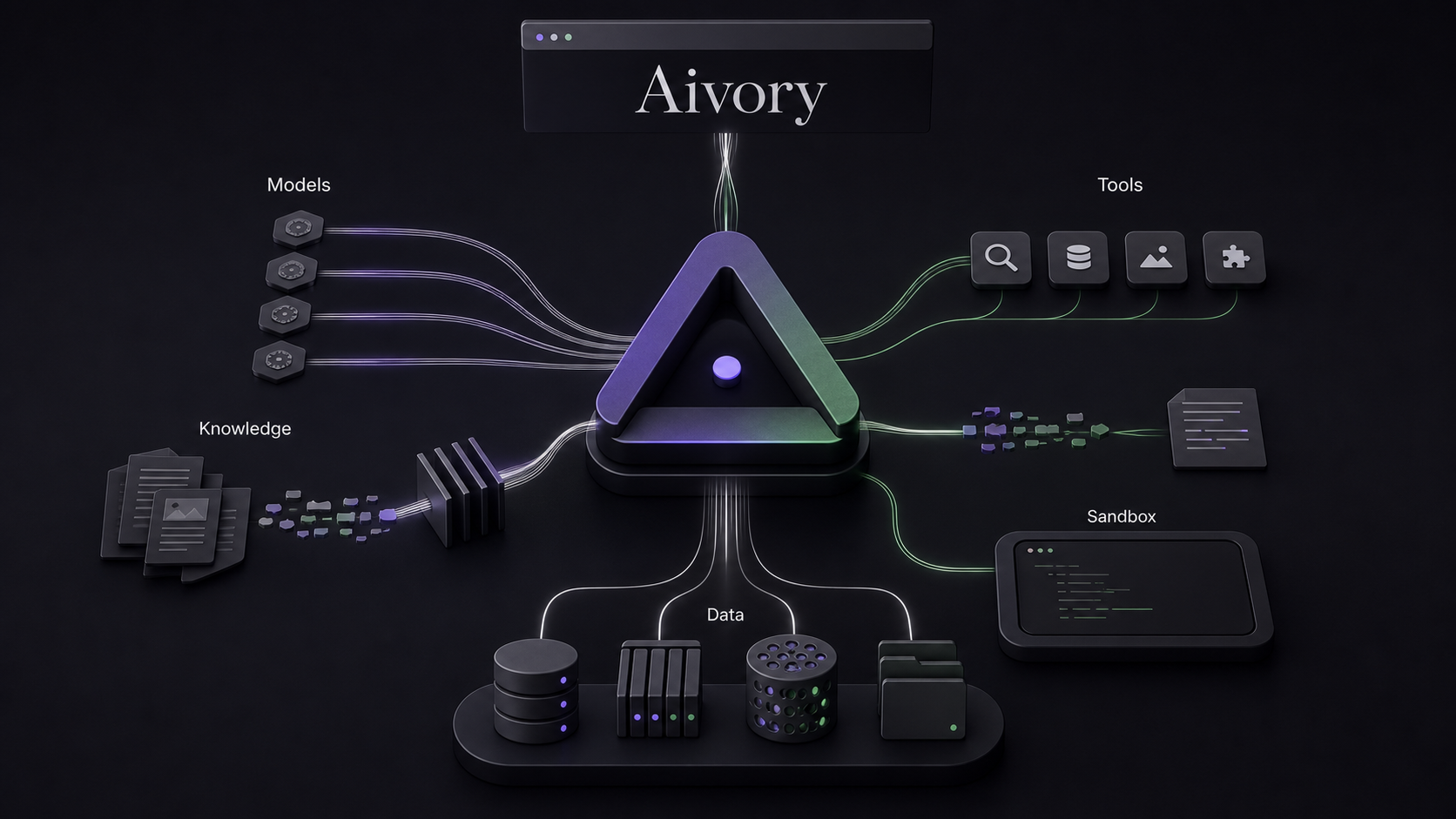
The vector backend can be chosen to match your deployment scale:
| Deployment | Business data | Vectors | Cache and queue |
|---|---|---|---|
| Personal edition | SQLite | SQLite embedded vectors | In-process |
| Full edition | PostgreSQL | Qdrant | Redis |
Documentation Conventions
Unless stated otherwise, commands are expected to run from the project's deploy/ directory. Examples assume a Linux server and Docker Compose Plugin. For public deployments, put HTTPS in front of the app and never expose internal database services to the internet.