Tools, MCP, and sandbox
Aivory v2.4.7 and later. Relevant screens: "Capabilities & integrations → Tools / MCP services / Skills / Prompts". The sandbox architecture and HTTP contract have their own pages: Python sandbox guide and Sandbox API. Screenshots show the Chinese admin UI; English labels are cited inline.
Tools turn model replies into actions against external systems, networks, files, or code-execution environments — a permission surface of its own. "The model can call tools" does not mean every user, model, or workspace should have that capability.
Tool enablement works in two layers:
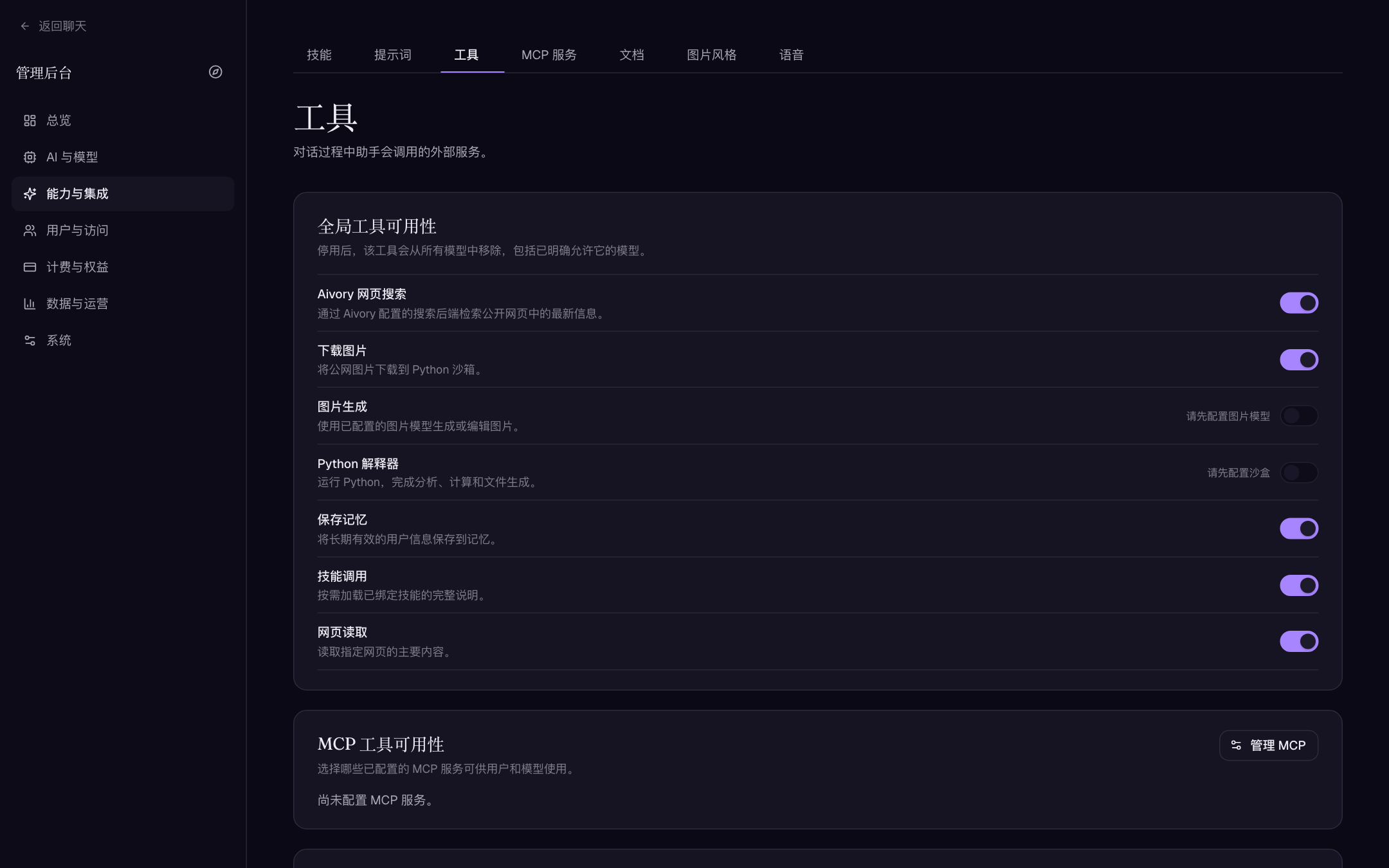
- Global availability ("Capabilities & integrations → Tools"): disabling a tool removes it from all models, including models that explicitly allow it.
- Per-model defaults ("AI & models → Models → Built-in tools / MCP tools"): which tools are pre-ticked in that model's conversations; users can still adjust per conversation.
Built-in tools and per-turn budgets
| Tool | Purpose | Per-turn cap | When backend is unconfigured |
|---|---|---|---|
aivory_web_search | Web search | 16 | Unavailable (search disabled) |
web_fetch | Fetch page content | 12 | Always available |
fetch_image | Fetch images | 16 | Always available |
image_generate | Image generation | 8 | Requires a configured image model |
python_execute | Run Python in the sandbox | 16 | Hidden from all models when no sandbox is configured |
save_memory | Save durable memories | — | follows the memory feature |
use_skill | Load a skill on demand | — | follows the skill catalog |
All tools share a per-turn total cap (default 48, AIVORY_LLM_MAX_TOOL_CALLS_PER_TURN); "Fast" mode tightens it to 12; deep research relaxes it to roughly 150. Related environment variables and provider-round limits: Advanced environment variables.
The README's "48 tool calls across 12 provider cycles" is imprecise: 48 is the normal-mode per-turn tool cap, while provider request rounds are a separate limit (default 20). Use the numbers on this page in public material.
Web search
The "Web search" section on the Tools page configures the aivory_web_search backend:
| Field | Description | Example | Default |
|---|---|---|---|
| Provider | SearXNG (self-hosted, keyless); Serper / Brave are paid | SearXNG (self-hosted) | Disabled |
| Base URL | SearXNG instance root | https://searx.example.com | empty |
| SearXNG engines | Comma- or space-separated engine names/shortcuts; empty uses instance defaults | bing, wikipedia | empty |
| API key | Required for Serper / Brave | — | empty |
Boot defaults come from SEARCH_PROVIDER / SEARCH_API_KEY / SEARCH_BASE_URL; once saved in the admin UI, the database wins.
Recommended rollout: pick a provider meeting your region, privacy, quota, and latency needs → validate result quality with a question that has a known answer → confirm the target models may call search and set credits/quotas per user group → watch cost, failure rate, and objectionable-content exposure before enabling deep research or page fetching.
The search key is a server-side secret — never a frontend variable. On instances that can reach internal networks, also assess web_fetch / fetch_image targets: don't give the model a reason to fetch http://169.254.169.254 or internal service URLs.
MCP services
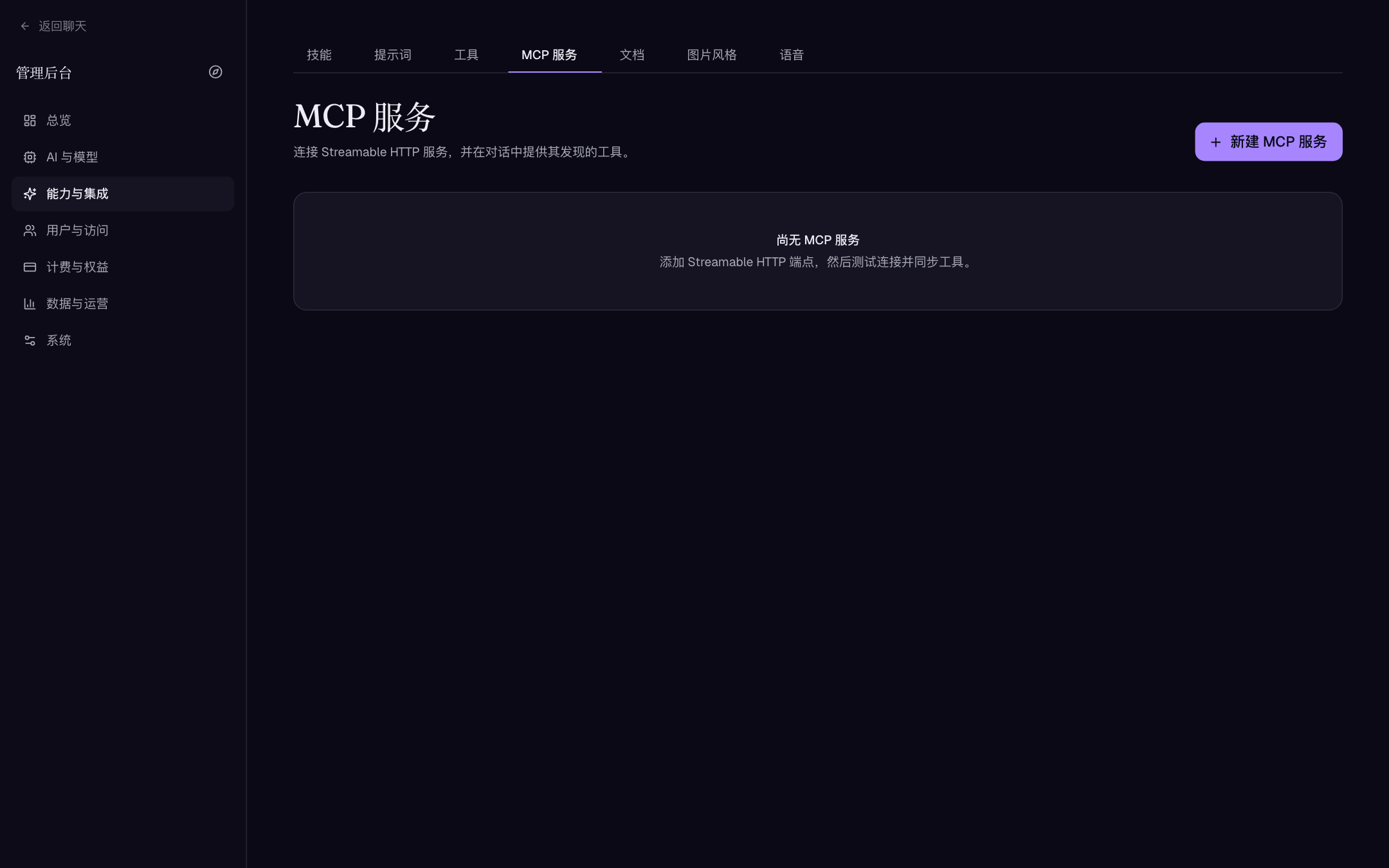
Aivory accepts Streamable HTTP MCP transports only (no stdio subprocesses). Registration:
- Open "Capabilities & integrations → MCP services" → "New MCP service".
- Fill in:
| Field | Description | Example |
|---|---|---|
| Name / Icon / Tool description | All required; the description is what tells the model when to use this service — write a clear "what it can do" | Train timetable lookup |
| Streamable HTTP URL | Endpoint must accept MCP JSON-RPC over Streamable HTTP | https://mcp.example.com/mcp |
| Headers | Optional headers sent with every MCP request; saved sensitive values display masked | Authorization: Bearer … |
| Available to users | Enable only after testing and syncing tools | — |
- Click Test to verify the connection (status: not tested / connected / error), then Sync tools to snapshot the method list; the row shows "discovered N tools / last synced …".
- To pre-tick a service for specific models, select it in the model editor's "MCP tools" block. An unsynced service cannot run even when enabled; if a service is deleted or disabled, model defaults surface "deleted / disabled / not synced" markers that you should clean up or restore.
- What external data can this service read or modify?
- Are its headers / Bearer keys / OAuth credentials scoped to least privilege?
- Which models, user groups, or workspaces should see these tools?
- How do you degrade when the service is down, emits odd tool output, or gets hammered?
Handing a production-write MCP server plus a personal access token to every chat model converts prompt injection into external-system risk. Start with a read-only test service, inspect discovered methods and parameters, then enable narrowly. Re-sync and re-test after every server update, method change, or credential rotation.
Skills and prompts
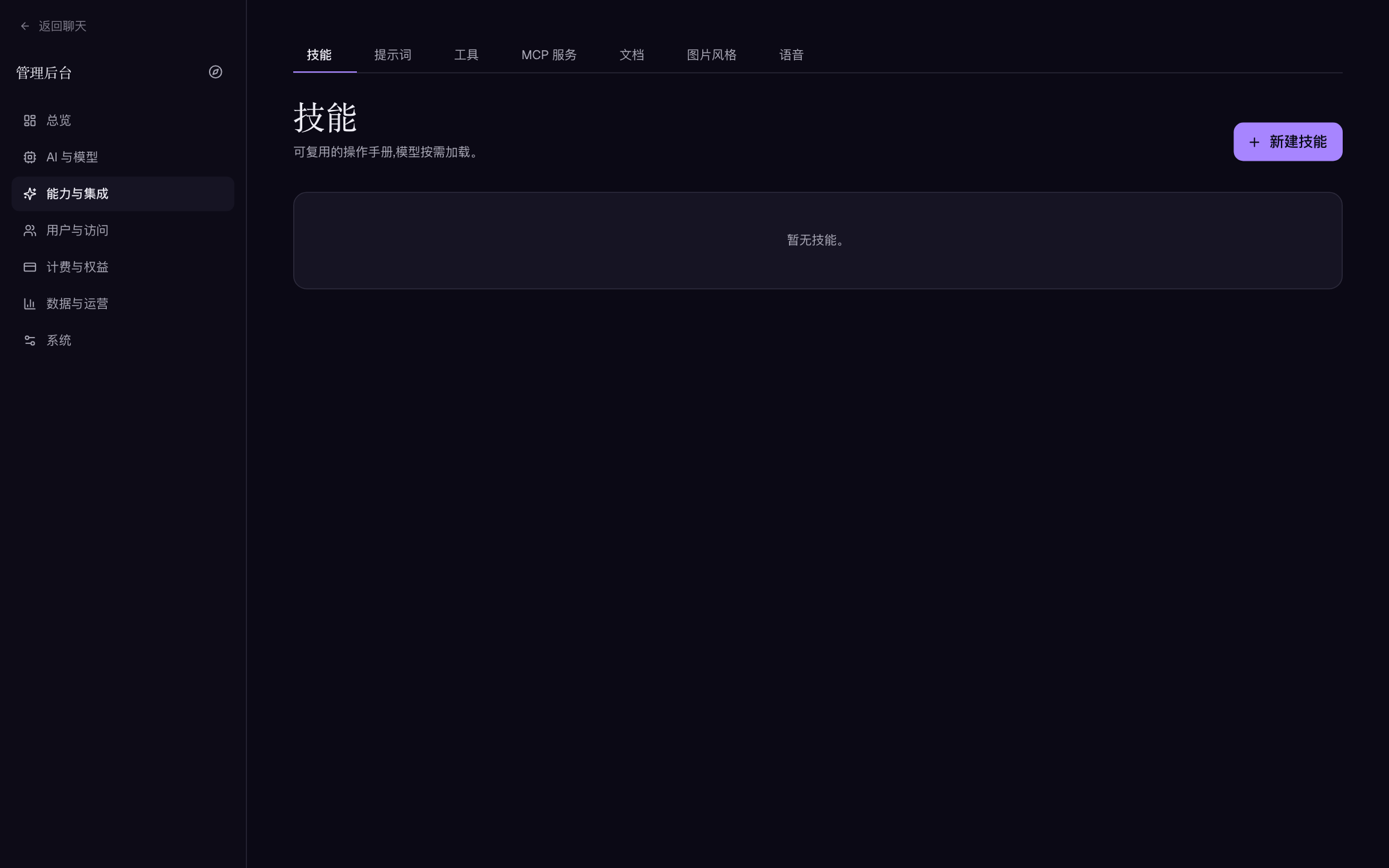
Skills are reusable playbooks (name, icon, when-to-use one-liner, full Markdown instructions, assets); Prompts are public templates users copy into personal libraries. Skills shape tool use but never replace permission control:
- Never embed long-lived API keys, database passwords, cookies, or one-time login links in a skill.
- Each skill should state which tools it needs, what data it may touch, and its safe behavior on failure.
- The "when to use" line is injected into the system-prompt index and decides recall — write a trigger condition, not marketing copy.
- Check copyright, privacy, and file type before uploading assets; admin assets and user attachments differ in storage, backup, and access control.
- Give every new skill a repeatable test conversation proving it won't invoke write-capable tools on ambiguous instructions.
- The user-group "Permissions" tab can scope visible prompts, skills, tools, and MCP servers per group.
Python sandbox: three ways to enable
python_execute needs a reachable sandbox service. The "Code sandbox" section on the Tools page shows live status; with nothing configured it displays "Configure a sandbox first" and the Python switch stays off — identically on Personal and Full. That message reflects whether the instance can safely reach a sandbox, not whether you are an admin; don't force the interpreter past it.
| Mode | For | Configuration |
|---|---|---|
| Built-in sidecar (Full) | Standard Full edition | Compose already wires http://sandbox:8000 on the internal network with app-side defaults set; no ports exposed |
| Local profile (Personal) | Trusted single machine | Start with --profile sandbox and set SANDBOX_BASE_URL=http://sandbox:8000 plus SANDBOX_API_KEY=aivory-personal-sandbox in .env.personal |
| External sandbox | Existing execution platform / stronger isolation | Enter an HTTPS URL and matching Bearer key in the Tools page (or SANDBOX_BASE_URL / SANDBOX_API_KEY); a standalone sidecar publishes on 48217 — never expose it publicly |
Admin fields ("Code sandbox" section):
| Field | Description | Default |
|---|---|---|
| Sandbox URL | Blank falls back to the deployment environment value | env value |
| Sandbox API key | Bearer key for sandbox calls; blank falls back to env | env value |
| Execution timeout (seconds) | Longest single run; range 10–600; blank = 120 | 120 |
| Idle recycle (seconds) | Reap idle sessions (archiving the workspace first); range 60–86400 | 1800 |
Both official composes set SANDBOX_EXEC_TIMEOUT_CAP_MS=600000 (10 minutes) on the sidecar; the admin "Execution timeout" is clamped to [10, 600] seconds with a 120-second client-side safety margin. The "2 minutes" figure in some README text is the sidecar's code default when unconfigured — not the deployed value.
Session lifecycle and persistent workspaces
- Each session is one tightly locked Docker container: always
--network none(not configurable) — no runtime pip install or network calls; bake dependencies into the runner image (Dockerfile.runneralready ships numpy/pandas/matplotlib/python-docx and more). - Sessions keep
/workspaceper conversation; after the idle threshold the session is reaped and its workspace is tarred into storage (keyed by conversation ID) and restored on next use. Multi-replica installs must use shared object storage — local archives suit a single node only. - Archive lifetime follows the storage page's retention setting (default 30 days). Persistent workspace ≠ permanent output retention: file retention, deletion, and user-export policy remain an admin decision.
- Both the Full edition and the Personal sandbox profile start an image keepalive service so host
docker image prune -acan't evict the ~600 MB runtime image; losing it makes the nextpython_executecold-pull and fail on timeout. Don't delete it as "unused".
Security boundaries
The sidecar creates session containers through the host Docker socket, with non-root, --cap-drop ALL, no-new-privileges, read-only rootfs, and bounded tmpfs. But the Docker socket itself is roughly host root, therefore:
- Enable the local sidecar only on fully controlled servers, never on untrusted shared hosts.
- Add no
ports:to thesandboxservice and never proxy it publicly; a leaked sandbox Bearer key allows creating or accessing execution sessions. - Keep
SANDBOX_READ_ONLY_ROOTFS=1unless you fully understand the disk and write risk of disabling it. - Leave the host headroom via
SANDBOX_MEMORY(default 2g),SANDBOX_CPUS(1),SANDBOX_PIDS_LIMIT(256),SANDBOX_MAX_SESSIONS,SANDBOX_WORKSPACE_SIZE(512m), andSANDBOX_MAX_UPLOAD_BYTES(40 MiB). - This isolation is not gVisor/microVM grade. For stronger guarantees, swap the execution backend — keeping the Sandbox API HTTP contract is all Aivory requires.
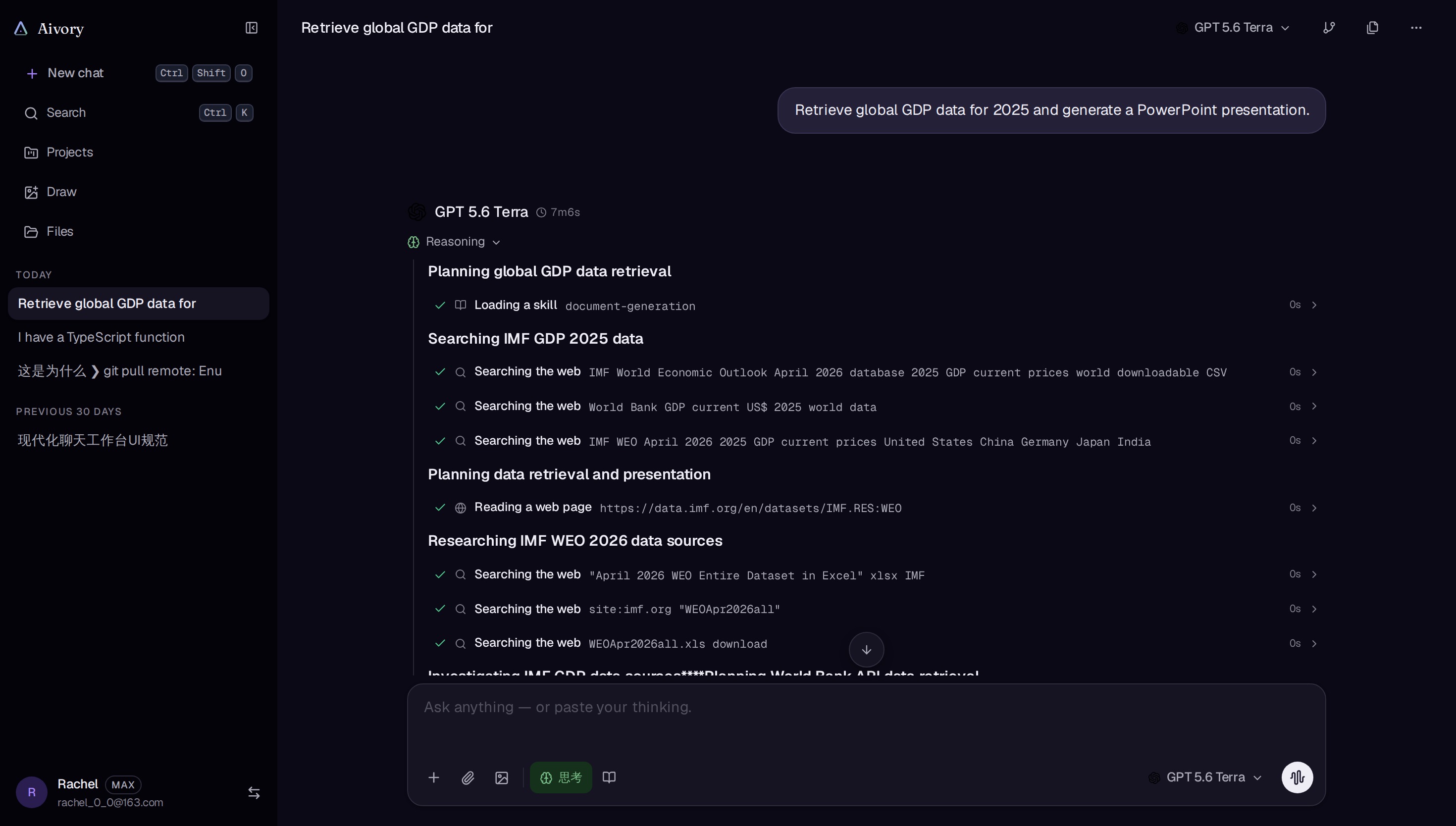
What tool use looks like in a real conversation (reasoning and tool-call trace visible):
Operations and failure triage
When Python is unavailable, check in order:
- Does the Tools page show the sandbox as configured, and do URL/key pairs match? (With both fields blank everything comes from environment values, and it is easy for each side to assume the other configured it.)
- Is the
sandboxcontainer running and healthy? (GET /healthzreturns{ok, docker, image}.) - Is the host Docker daemon and socket available, and did the runtime image survive pruning? (Look at the keepalive service.)
- Are execution timeout, concurrent-session cap, or upload size set too low?
- Is the target model blocked by a global tool disable, per-model tool defaults, or workspace policy?
Never resolve errors by publishing the sandbox port, disabling auth (SANDBOX_ALLOW_NO_AUTH is for localhost development only), or raising resource caps to infinity. Read the sanitized app and sandbox logs first and identify whether the failure is network, auth, image, resource, or model authorization.
Manual health probes (external sandbox)
The sandbox is a plain HTTP service, so you can verify the contract directly (substitute $KEY with the sandbox key):
curl -s http://<sandbox-host>:48217/healthz -H "Authorization: Bearer $KEY"
# {"ok":true,"docker":true,"image":"..."}

SID=$(curl -s -X POST http://<sandbox-host>:48217/sessions \
  -H "Authorization: Bearer $KEY" -H "content-type: application/json" \
  -d '{}' | jq -r .session_id)

curl -s -X POST http://<sandbox-host>:48217/exec \
  -H "Authorization: Bearer $KEY" -H "content-type: application/json" \
  -d "{\"session_id\":\"$SID\",\"code\":\"print(6*7)\"}"
A "docker":false from /healthz means the socket is down or unreadable; a 401 means the keys on the two sides disagree.
Tool troubleshooting quick lookup
| Symptom | Check first |
|---|---|
| Tools page shows "Configure a sandbox first" | SANDBOX_BASE_URL + SANDBOX_API_KEY configured as a pair (admin UI or env) |
| Sporadic Python 500s mentioning image pulls | The runtime image was pruned — restore the keepalive service |
| Execs always die at the same second | The minimum of admin "Execution timeout", sidecar SANDBOX_EXEC_TIMEOUT_CAP_MS, and proxy read timeout |
| Workspace files vanish after switching replicas | Archives go to local storage while the app is multi-replica — move to shared object storage |
| Search consistently "unavailable" | Provider/key pairing (SearXNG needs no key; Serper/Brave require one) |
| Model claims a tool doesn't exist | Global disable > per-model built-in defaults > user-group permissions > workspace policy — any layer can hide it |
| MCP enabled but unusable by models | Whether the service is ticked under "MCP tool availability" and has been synced |