Users, Sign-in, and Workspaces
Aivory v2.4.7 and later. Relevant screens: "Users & access → Users / Registration policy / Login methods / Workspaces". Proxy and HTTPS prerequisites: Domain, HTTPS, and OAuth. Screenshots show the Chinese admin UI; English labels are cited inline.
Access control decides who can enter the instance, by which means, what workspaces and resources they can see, and how admins handle accounts during incidents. Ordering principle: keep at least one recoverable admin login path proven before tightening registration or sign-in; never close the only entrance before validating OAuth or the admin password.
User lifecycle
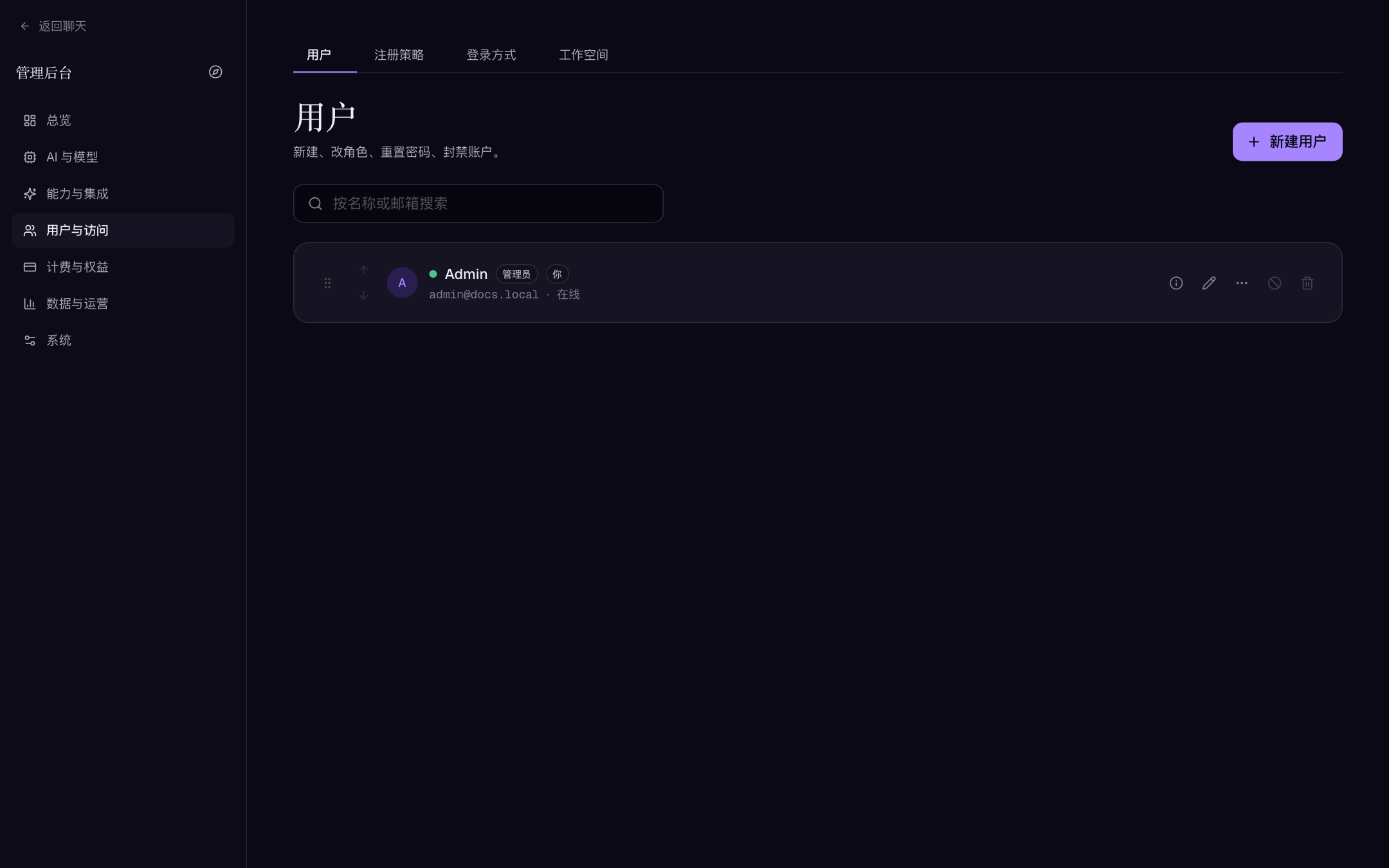
"Users & access → Users" supports search, creation, and maintenance, with per-user drill-downs into conversations, library, memories, login history, and usage:
| Action | Notes |
|---|---|
| Create/edit account | Confirm email ownership, display name, role, and initial password; never send plaintext passwords over chat, screenshots, or tickets |
| Promote to admin | Trusted people only: admins can read operational data, edit channels, and export configs containing plaintext credentials |
| Suspend or ban | For security incidents, abuse, or offboarding; record reason, time, and owner first — banning terminates the user's active sessions |
| Reset password / disable 2FA | Verify identity first, then notify the account owner and keep an audit note |
| Delete user | Data-destructive: confirm legal retention, workspace ownership, shared material, and backups; deletion ≠ temporary disable |
Deleting a user first registers the object paths for cleanup, then runs the destructive SQL; physical file sweeping happens at startup. For "is the file really gone?" questions, trust the "Data & operations → Files" view.
Registration policy
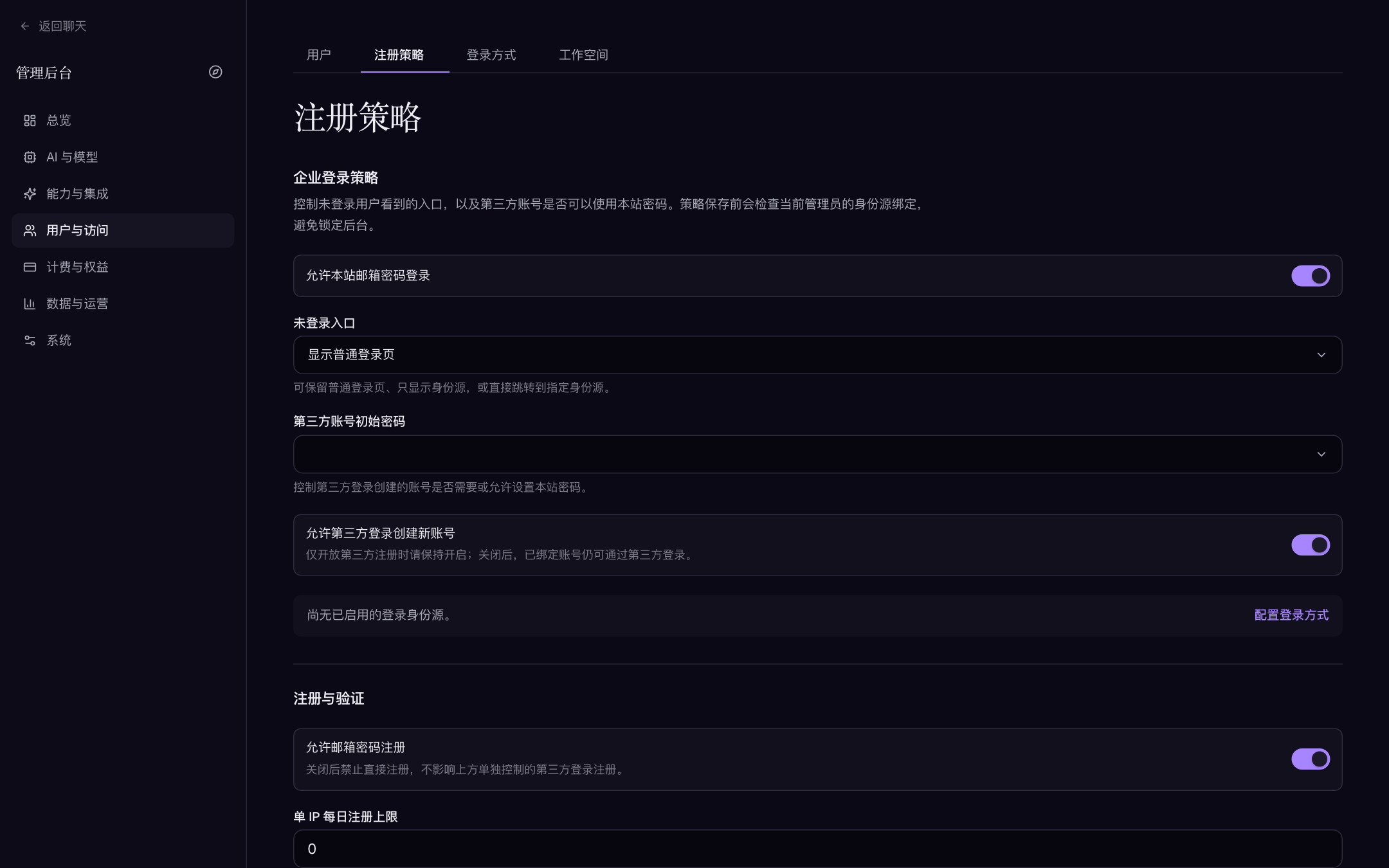
"Users & access → Registration policy" concentrates the entry switches (the page checks the current admin's own identity-source bindings before saving, to avoid locking you out):
| Field | Description | Default |
|---|---|---|
| Allow email and password registration | When off, direct sign-up is refused; third-party logins have their own provisioning switch | on |
| Require registration captcha | New sign-ups must solve a slider-puzzle captcha | off |
| Require sign-in captcha | Every password sign-in starts with the slider puzzle — slows credential stuffing | off |
| Daily registrations per IP | 0 = unlimited | 0 |
| Require email verification | New users must enter a 6-digit code to sign in (code valid 10 minutes, burned after 5 wrong tries; needs SMTP) | off |
| Allowed email domains | Comma-separated; only listed domains may register; blank allows all | empty |
Enterprise sign-in policy (same page)
| Field | Description | Default |
|---|---|---|
| Allow site password sign-in | When off, only third-party identity sources remain | on |
| Unauthenticated entry | Show the normal login page / provider picker only / auto-redirect to a provider | login page |
| Default provider | In auto-redirect mode, unauthenticated users land straight on this provider's consent screen | — |
| Allow third-party login to create accounts | When off, only already-linked accounts may use third-party sign-in | on |
| Initial password for third-party accounts | Required / optional / never | optional |
"Provider picker only" and "auto-redirect" both require at least one enabled and fully configured identity source, and you cannot require third-party accounts to "always set a site password" while password sign-in is off (the page rejects that combination). Test the new flow in another browser or an incognito window with a test account before closing the old entrance.
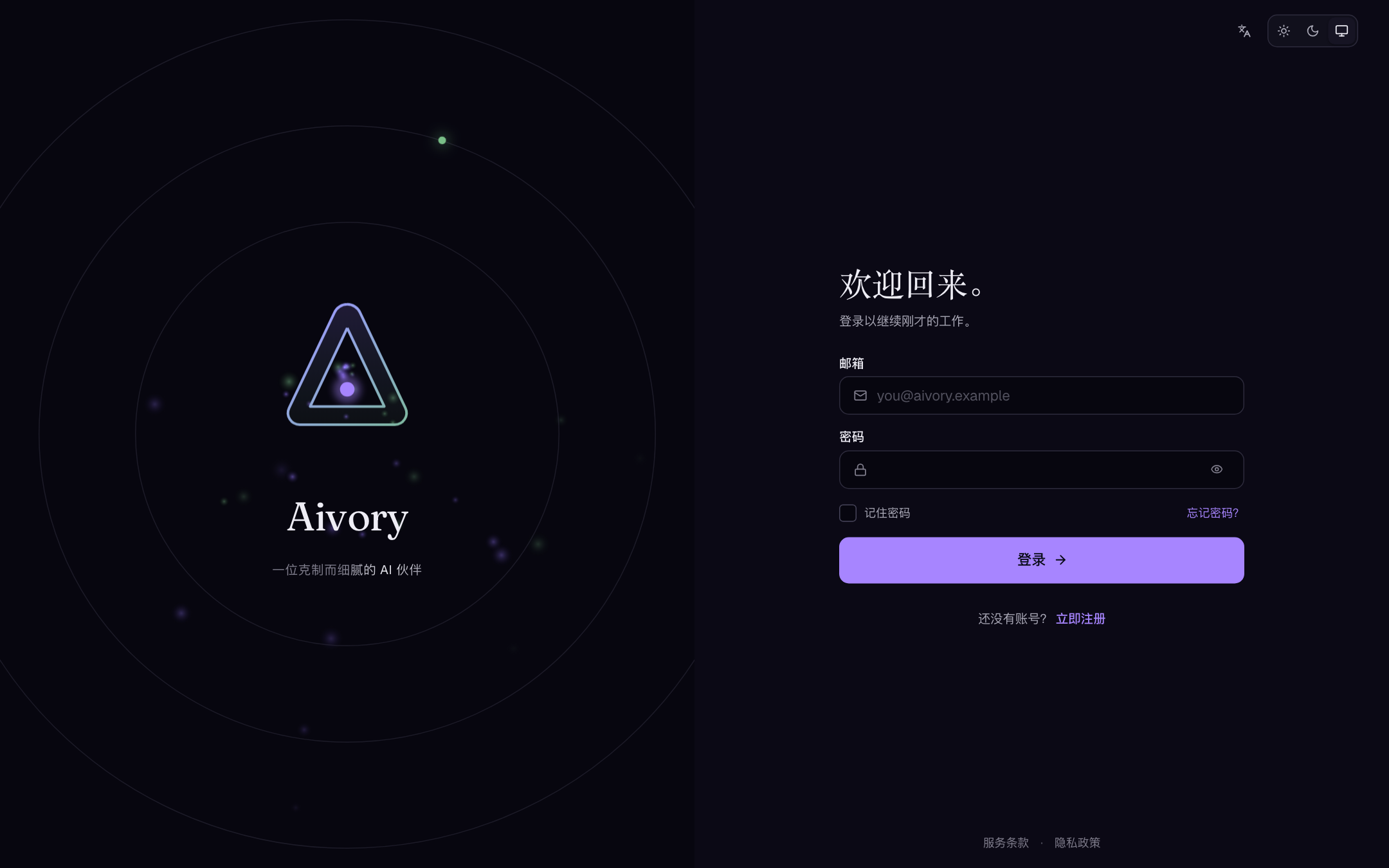
Recommended public-deployment baseline: initially keep open sign-up off or tighten with an email-domain allowlist → when opening, enable captcha + email verification + a sensible per-IP cap → reserve at least one verified login path for admins → before release, run a non-admin test account through sign-up, verification, sign-in, sign-out, refresh, password reset, and the banned-state behavior.
Switch combinations by deployment type
| Scenario | Suggested combination |
|---|---|
| Personal instance | Open sign-up off; email verification and both captchas off; when someone else needs access, create the account manually under Users and hand over the initial password via a secure channel |
| Invite-only beta | Keep open sign-up off; admins mint accounts by hand in batches; SMTP can wait until this phase ends |
| Public community | Open sign-up + registration and sign-in captchas + email verification (once SMTP works) + a sane per-IP daily cap; tighten the default group's quotas and have a ban/appeal process ready |
| Corporate intranet | Disable email/password registration and site password sign-in; keep only generic OIDC / OAuth2 sources; set the unauthenticated entry to auto-redirect with a default provider; decide explicitly whether third-party logins may provision accounts |
After changing any combination, run a fresh account through sign-up → sign-in → sign-out in an incognito window before rolling it out to everyone.
Captcha and email mechanics
- Slider-puzzle captcha: the client fetches a puzzle from
GET /api/public/captcha; solving it exchanges for a single-use pass token (POST /api/public/captcha/verify). Challenges expire in ~2 minutes; pass tokens live ~10 minutes and are one-time. A "I solved it but it still fails" loop is usually a cached challenge (proxy/browser) — retry in incognito to confirm. - Email verification/reset: 6-digit codes, 10-minute validity, burned after 5 wrong tries; both flows require SMTP.
- Login audit: login history is an immutable record of successful logins (device, IP, time), visible on the user detail page. Brute-force attempts won't appear there — check app logs and rate-limit behavior instead.
OAuth login methods
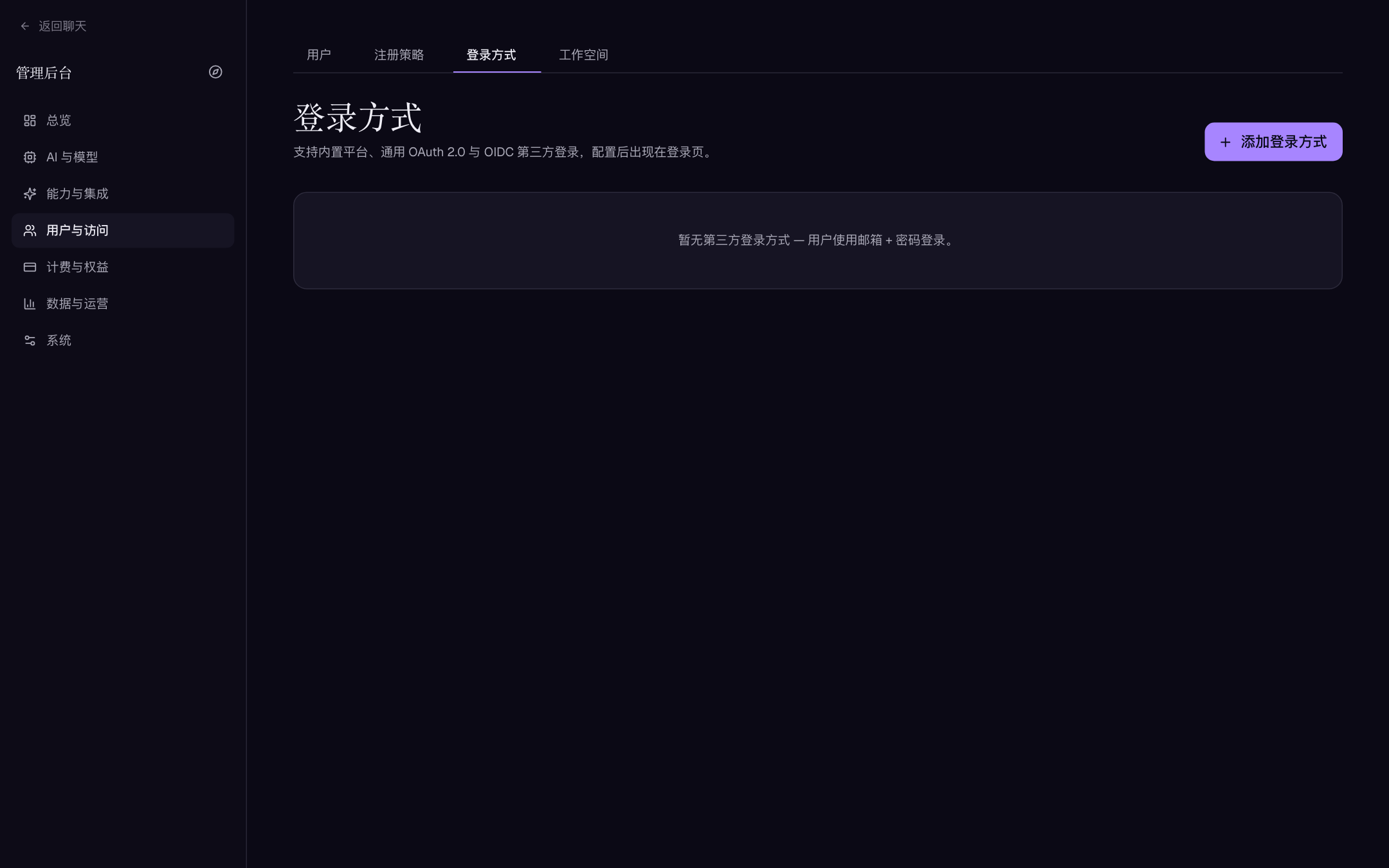
"Users & access → Login methods" supports five kinds: Google, GitHub, Apple, Generic OAuth 2.0, and Generic OIDC. Safe steps to ship one:
- Finish the public HTTPS domain and reverse proxy first (the callback must be reachable on the real browser-facing host).
- Create the app on the provider side:
- Google: Cloud Console → Credentials → OAuth client (authorization code + PKCE).
- GitHub: Settings → Developer settings → OAuth Apps.
- Apple: create a Services ID and an AuthKey (
.p8); the client secret is a JWT Aivory signs on the fly from the stored.p8key. - Generic OAuth2 / OIDC: obtain authorize, token, and (optionally) userinfo endpoints from your IdP.
- In "Login methods" click "Add login method" and copy the displayed "Redirect URI" verbatim into the provider console — it never changes after saving. It looks like:
https://aivory.example.com/api/auth/oauth/<provider-id>/callback
- Enter the Client ID / Client Secret and enable it; with a test account verify new-user creation, existing-account sign-in, and explicit identity linking/unlinking in personal settings.
- Only after email matching, auto-provisioning, initial-password policy, and group assignment behave as intended, open the entry to real users or set the auto-redirect.
Fields (the form shows only what the selected kind needs):
| Field | Applies to | Description |
|---|---|---|
| Kind / Button text / Icon | All | Button text and icon render on the login page |
| Client ID / Client Secret | All | Apple uploads the .p8 private key here; blank on edit keeps the saved secret |
| Team ID / Key ID | Apple | Needed to sign the client-secret JWT |
| Issuer URL / JWKS URL | OIDC | Validate the ID token's issuer and signing keys |
| Authorize / Token / Userinfo URL | Generic OAuth2 | Per the provider's documentation |
| Scopes | Generic | OAuth2 per docs; OIDC defaults to openid email profile when blank |
| Enabled (show on login page) | All | — |
token_exchange_failedWith several public domains, pin the canonical callback host via OAUTH_CALLBACK_BASE_URL and allow returning origins via OAUTH_RETURN_ORIGINS (the cross-domain one-time handoff token lasts 60 seconds) — see Domain, HTTPS, and OAuth. When third-party login fails with token_exchange_failed, a healthy account binding does not mean the server's egress works: check the server→token-endpoint HTTPS path, DNS, proxy, firewall, and system clock (token exchange times out around 40 s; the OAuth state lives 10 min). Don't unbind user accounts repeatedly.
Two-factor authentication and session security
Users enable TOTP 2FA in their personal settings (a setup is burned after 5 wrong codes); admins can disable it after identity verification. 2FA never substitutes for: a strong unique admin password, protecting JWT_SECRET / database passwords / OAuth secrets, correct HTTPS and cookie configuration, and prompt banning and session revocation for stolen devices or departed staff.
Session mechanics an admin should know:
| Mechanism | Facts |
|---|---|
| Token shapes | Short-lived access token (default 30 min, ACCESS_TTL) + long-lived refresh token (default 30 days, REFRESH_TTL, rotating, each stored and individually revocable), delivered via HttpOnly cookies or a Bearer header |
| Versioned revocation | Every access token carries a token version and a session family ID; a password change, admin ban, or user session revoke takes effect on the next request, across replicas |
| Session management | Users see active sessions (device / IP / location / last seen) in personal settings and can revoke any of them |
| Request proof | Authenticated write APIs require one-time HMAC-signed requests by default (replay window: timestamps may lead ≤ 300 s or lag ≤ 60 s). A badly skewed client clock surfaces as "request signature expired"; AIVORY_REQUEST_SIGNATURES_REQUIRED=false disables it (weakens to bearer/cookie auth; debugging only) |
| CSRF origins | Cookie-bearing cross-site requests must present an Origin matching ALLOWED_ORIGINS or they 403 with "cross-site request blocked" — the most common "login works but every write fails" cause on domain deployments |
Login and access troubleshooting quick lookup
| Symptom | Check first |
|---|---|
| Signed in, but every write 403s with "cross-site request blocked" | ALLOWED_ORIGINS exactly equals the browser Origin (no path, no trailing slash, comma-separated) |
| "request signature expired" | Client/server clock skew (window: ≤300 s lead, ≤60 s lag); a proxy rewriting the /api prefix or query string |
| A just-banned / just-password-changed account still works | It should die on the next request; confirm requests hit the same database, not a stale replica |
| OAuth bounces back but still signed out | Multi-domain: OAUTH_CALLBACK_BASE_URL / OAUTH_RETURN_ORIGINS missing, so the 60-second one-time handoff is refused |
| Verification email never arrives but SMTP test sends fine | Missing SPF/DKIM on the sender domain (spam), or the email-domain allowlist refused it before signup |
| Re-login needed after every restart (dev) | No JWT_SECRET set — the process generates an ephemeral one |
| User "can't log in" though login history shows successes | They're hitting the email-verification requirement, or the account status is suspended |
TTLs live in the environment: ACCESS_TTL (default 30m) and REFRESH_TTL (default 720h). Shorter access tokens shrink the leak window; refresh-token length is the convenience-versus-device-risk trade.
User groups and workspaces
User groups carry a cohort's default visible models, allowances, credits, and permissions — see Plans, credits, and payments. Define a few clear groups (admin, staff, trial, paid, restricted) rather than untrackable one-off combinations.
Workspaces are team collaboration spaces (created user-side; admins inspect and delete under "Users & access → Workspaces"):
- Name owners and the transfer rule: who takes over when the creator leaves.
- Member capabilities are granted item by item (conversations, projects, knowledge bases, files, and more at fine granularity); workspace policies can further narrow allowed models, tools, MCP servers and set a member monthly credit cap — narrowing only.
- Give invite links sane expiry and use limits and revoke after use; legacy invite tokens are not an auth bypass.
- Put distinct customers, legal entities, or confidentiality tiers in separate workspaces; don't rely on verbal isolation.
- Audit: workspace operations log entries that outlive workspace deletion, and metadata never contains tokens, keys, or request bodies.
Platform administrators retain a personal space. The domain-lock feature is deliberately scoped to ordinary users bound by an email rule; an account with the platform admin role can still switch between its personal space and workspaces. To restrict one administrator, change the account role first and then apply the domain rule or per-user override from Domain enrollment and workspace access.
For domain-based organization entry, use the separate Domain enrollment and workspace access page. It documents exact-domain matching, mandatory verification for matching registrations, prospective (not retroactive) enrollment, personal-space locking, and the /admin/workspaces owner workflow.
After changing roles, groups, or workspace membership, verify with a low-privilege test account that access actually tightened or opened — never judge permissions from the admin view alone.
Permission planes at a glance
| Layer | Controls | Where |
|---|---|---|
| Account role | user / admin | User detail page |
| User-group permissions | Feature toggles (sharing, knowledge bases, upload, voice, memory, drawing…) and resource catalogs (prompts/skills/tools/MCP: all/selected/none) | User Groups → Permissions |
| Model permissions | Which groups may use a model, with cost/call limits | Model Permissions block + group Quota tab |
| Workspace policy | Allowed models/tools/MCP whitelists, feature flags, member monthly credit cap (narrowing only) | Workspace owner settings |
| Member capability rows | Fine-grained per-member can_* switches | Workspace member management |
| Global tool disable | One switch removes a tool from every model | Capabilities & integrations → Tools |
Incident response order
- Scope the impact: login history, anomalous usage (per-user view in "Usage & billing"), and the shared resources this user touches.
- Stop the bleeding before forensics: banning the account or downgrading its group instantly terminates sessions and closes entrances — no data deletion needed.
- Revoke credentials: on suspected compromise, rotate the involved admin password and revoke sessions (personal Settings → Sessions); an admin ban kills all of that account's refresh tokens too.
- Preserve evidence: record order IDs, event IDs, and timelines before exports; deleting a user anonymizes usage rows rather than erasing them.
- Close the loop: translate the attack path into concrete switches (registration policy, captcha, IP caps) and write them into the change log.
Security operations checklist
- Keep at least two independent, recoverable admin login paths and document the recovery procedure.
- Rotate OAuth, SMTP, model-channel, and storage credentials regularly; run real login and send tests after each rotation.
- Before enabling sign-up or auto-provisioning, define the allowed user scope, email domains, and abuse-handling process.
- Review login history, anomalous geos/IPs, failed-login spikes, and registration bursts on a schedule; judge attacks on combined signals, not one metric.
- Before any delete, ban, export, or restore, record operator, reason, scope, and rollback plan.